고정 헤더 영역
상세 컨텐츠
본문
728x90
반응형
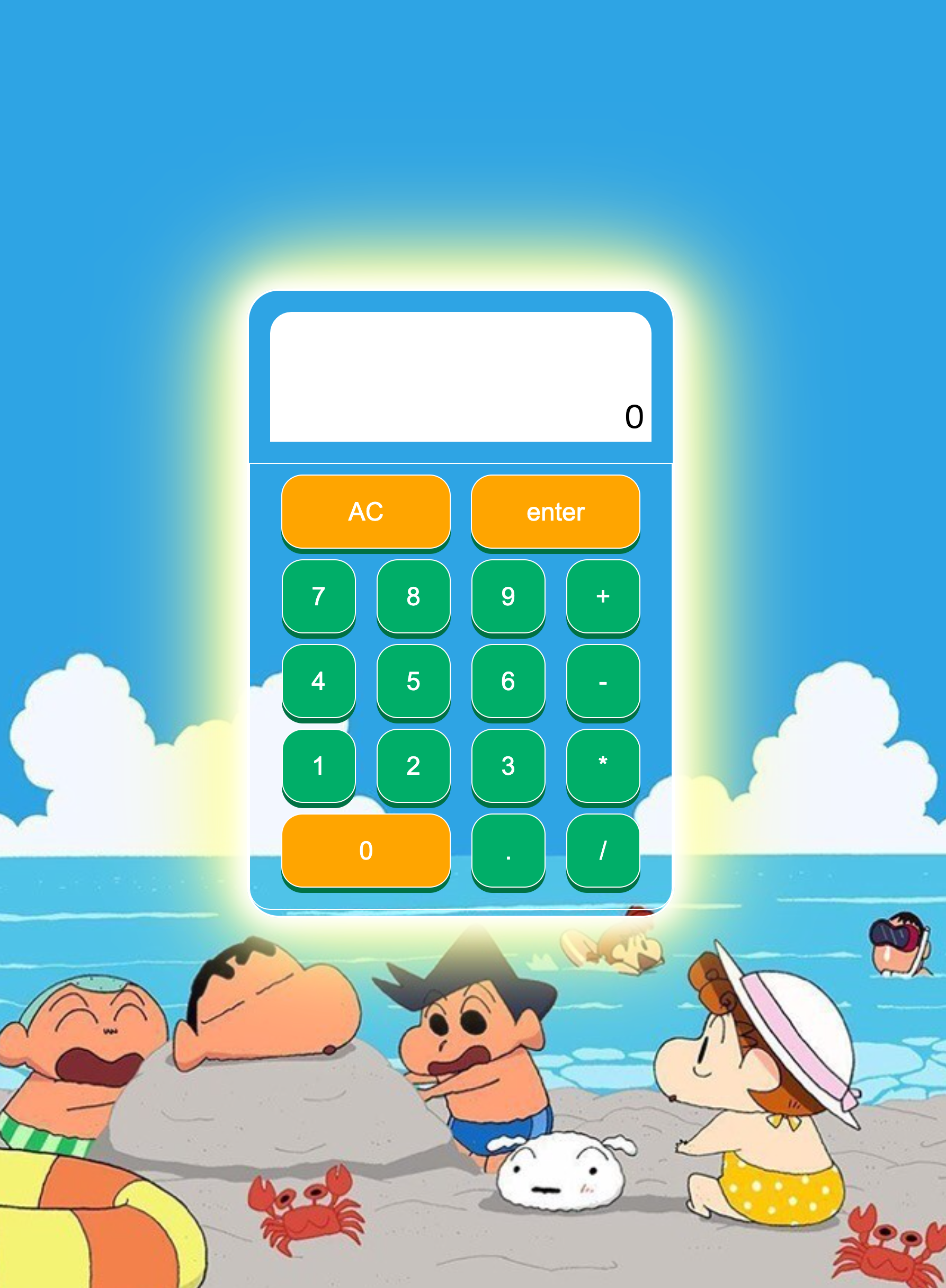
2번째 과제인 목업 계산기 만들기!!
HTML 코드
<!DOCTYPE html>
<html lang="en">
<link rel="stylesheet" href="style.css">

<head>
    <meta charset="UTF-8">
    <meta http-equiv="X-UA-Compatible" content="IE=edge">
    <meta name="viewport" content="width=device-width, initial-scale=1.0">
    <title>Document</title>
</head>

<body>

    <div class="calculator">

        <!-- 값 확인 디스플레이 영역 -->
        <div class="display">
            0
        </div>


         <!-- 숫자키 패드 영역 -->
        <div class="button">
            <div class="b1">
                <button class="ac">AC</button>
                <button class="Enter">enter</button>

            </div>

            <!-- 숫자 키 패드 영역 / 각 범위 지정 하단으로 배열 -->

            <div class="b2">
                <button>7</button>
                <button>8</button>
                <button>9</button>
                <button class="+">+</button>
            </div>

            <div class="b3">
                <button>4</button>
                <button>5</button>
                <button>6</button>
                <button class="-">-</button>
            </div>

            <div class="b4">
                <button>1</button>
                <button>2</button>
                <button>3</button>
                <button class="">*</button>
            </div>

            <div class="b5">
                <button class="zero">0</button>
                <button class=".">.</button>
                <button class="/">/</button>

            </div>

        </div>
    </div>
</body>

</html>
CSS 코드
* {
  margin: auto;
  padding: 0px;
}

/* 뒷 배경화면 */

body {
  display: flex;
  justify-content: center;
  align-items: center;
  height: 100vh;
  background: url('/Users/bagdahae/Desktop/코드스테이츠/2023.04/계산기/확정/계산기 목업/이미지/IMG_1920.jpg') no-repeat center fixed;
  background-size: cover;

  /* border: 1px solid red; */
}


/* 계산기 몸통 */
.calculator {
  width: 400px;
  height: 590px;
  border: 2px solid #ffffff;
  /* background-color: blue; */
  border-radius: 30px;
  /* background: #00AE68; */
  background: url('/Users/bagdahae/Desktop/코드스테이츠/2023.04/계산기/확정/계산기 목업/이미지/IMG_1920.jpg') no-repeat center fixed;
  box-shadow: 0 0 20px #fff,
    0 0 30px #fff,
    0 0 40px #fff,
    0 0 60px #ff9,
    0 0 80px #ff9,
    0 0 100px #ff9,
    0 0 150px #ff9;
}

/* 계산기 화면 */

.display {
  border: 2px solid rgb(255, 255, 255);
  text-align: right;
  margin: 20px 20px;
  background-color: rgb(255, 255, 255);
  padding-top: 20%;
  padding-right: 1%;
  font-size: xx-large;
  border-radius: 20px 20px 0px 0px;
}


/* 계산기 숫자패드 연산패드  */

/* 전체 버튼 설정 값 */

button {
  width: 70px;
  height: 70px;
  border-radius: 20px;
  border: 1px solid rgb(255, 253, 253);
  align-items: center;
  box-shadow: 0px 5px 0px 0px #007144;
  color: #fff;
  font-size: x-large;
  background: #00AE68;

}


button:hover {
  box-shadow: 0px 0px 0px 0px #007144;
}


/* Class 버튼 설정 값 */

.button {

  padding-bottom: 20px;
  padding-top: 0px;
  padding-left: 20px;
  padding-right: 20px;
  border-radius: 0px 0px 20px 20px;
  border: 1px solid rgb(255, 255, 255);

}


/* 숫자 패드 버튼 영역 설정 값  */

.b1 {
  display: flex;
  padding-top: 10px;
}

.b2 {
  display: flex;
  padding-top: 10px;
}

.b3 {
  display: flex;
  padding-top: 10px;
}

.b4 {
  display: flex;
  padding-top: 10px;
}

.b5 {
  display: flex;
  padding-top: 10px;
}


/* 버튼 각각 class 별 설정값 */

.ac {
  height: 70px;
  width: 160px;
  background-color:orange;
}

.bin {
  width: 70px;
  height: 70px;
}

.Enter {
  height: 70px;
  width: 160px;
  background-color:orange;
}

.zero {
  height: 70px;
  width: 160px;
  background-color:orange;
}
결과물
728x90
반응형


